Description

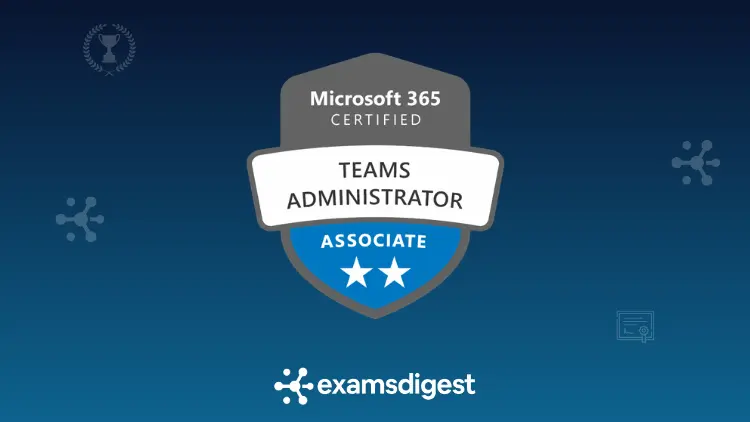
For learners studying for Microsoft 365 Certified: Teams Administrator Associate
What you'll learn
Practice pack content
Domain 1 - Configure and manage a Teams environment
Domain 2 – Manage teams, channels, chats, and apps
Domain 3 – Manage meetings and calling
Domain 4 – Monitor, report on, and troubleshoot Teams
Final Exam Simulators
Exam Study Guide
Interactive Flashcards
Try 3 Microsoft Teams Administrator MS-700 practice questions
Choose an answer, explore the explanation, and see why the other options are less suitable. Three short scenarios. No sign-in required.
Configure and manage a Teams environmentTopic · Configure and manage external collaboration
1. Partner access without guest accounts
A consulting firm and a supplier want to collaborate in one Teams channel while the supplier's employees stay signed in to their own Microsoft 365 tenant. The firm does not want guest accounts created or access to the whole team. Both organizations can configure cross-tenant access settings. Which solution fits these requirements?
- Enable Teams external access federation and add the partner users to a standard channel.
- Invite supplier staff as Microsoft Entra B2B guests and add them to the full team.
- Create a shared channel and configure Microsoft Entra B2B direct connect in both tenants.
- Create recurring Teams meetings with anonymous links for the supplier to join the channel.
Answer and full explanation
Correct answer: C — A shared channel supported by Microsoft Entra B2B direct connect.
Why C is correct
Teams shared channels support collaboration with participants from other Microsoft 365 organizations without creating guest accounts in the host tenant. External participants can remain signed in with their home-tenant identities while accessing the specific shared channel. Microsoft Entra B2B direct connect cross-tenant settings must permit the relationship on both sides, along with the relevant Teams sharing settings. Access is limited to members of the shared channel rather than everyone in the parent team. This meets the requirement for focused ongoing collaboration without providing general team membership.
Why the other options are less suitable
- A — External access federation: External access supports communication such as chats and calls with users in other organizations. It does not by itself add those users as members of a Teams channel.
- B — B2B guest membership: B2B collaboration can give invited external users access to Teams as guests. The scenario explicitly requires no guest accounts and no access to the whole team.
- D — Meeting links: Meetings can connect external participants for calls and presentations. An anonymous meeting link does not give participants persistent membership in a Teams channel.
Key takeaway: Shared channels use B2B direct connect for external members; external access and guest access serve different collaboration needs.
Read two more sample questions
Manage teams, channels, chats, and appsTopic · Manage channels and chats
2. Confidential discussions within an existing team
A human resources team includes staff from several departments. Five current members need a space for confidential compensation planning, with conversations and files hidden from other team members. They want to keep the work within the existing team and do not need to share it with other teams or organizations. Which Teams channel type is most suitable?
- Create a standard channel and restrict who may post messages by configuring channel moderation.
- Create a private channel and add only the five designated members of the parent team.
- Create a shared channel and share it with the entire parent team to keep access centralized.
- Create a standard channel and apply a meeting lobby restriction for the confidential discussions.
Answer and full explanation
Correct answer: B — A private channel restricted to the selected members of the existing team.
Why B is correct
A private Teams channel creates a collaboration space whose content is visible only to its owners and members. Private channel members must already belong to the parent team, which matches the five existing employees in the scenario. It provides restricted conversations and files without requiring another team to be created. Other members of the parent team do not automatically gain access to that private channel. Because external or cross-team sharing is not requested, a private channel is the most direct fit.
Why the other options are less suitable
- A — Standard channel moderation: Moderation controls who can start conversations or reply in certain channels. It does not hide the channel and its content from other team members.
- C — Shared channel for everyone: Shared channels are useful when channel membership must extend beyond the parent team or be shared selectively. Sharing this channel with the entire team contradicts the requirement to restrict access to five members.
- D — Meeting lobby restriction: Meeting lobby controls affect admission to Teams meetings. They do not restrict who can read messages or files in a standard Teams channel.
Key takeaway: Choose a private channel for confidential work among a subset of existing team members; standard channels remain broadly visible.
Monitor, report on, and troubleshoot TeamsTopic · Monitor and report on Teams
3. Finding call-quality patterns across offices
Employees at several company offices report intermittent poor Teams audio during the past month. The network team wants to compare call-quality trends by building and network location to identify widespread patterns, rather than analyze one user's individual meeting. Building and endpoint information can be uploaded. Which Teams reporting tool should the administrator use?
- Use per-user Call Analytics to review detailed session records for a single affected employee.
- Use Microsoft 365 service health to compare scheduled maintenance across all Teams users.
- Use Teams meeting attendance reports to review the participants in completed meetings.
- Use Call Quality Dashboard with building and endpoint data for location-based trend analysis.
Answer and full explanation
Correct answer: D — Call Quality Dashboard with location-enhanced reporting.
Why D is correct
Microsoft Call Quality Dashboard (CQD) provides organization-wide reports of Teams call and meeting quality. It helps administrators identify recurring patterns across larger groups of users instead of focusing only on an individual session. Uploading building and endpoint information enables location-enhanced analysis of call quality and reliability. That lets the network team compare affected offices and investigate whether poor audio correlates with particular network locations. Per-user Call Analytics can be useful later when investigating representative calls, but CQD best answers the broader reporting requirement.
Why the other options are less suitable
- A — Per-user Call Analytics: Call Analytics provides detailed diagnostics for particular users and calls. It is valuable for individual incidents, but is not the primary tool for finding month-long trends across buildings.
- B — Microsoft 365 service health: Service health surfaces Microsoft-reported incidents and advisories affecting cloud services. It does not provide the required location-based analysis of an organization's call media quality.
- C — Teams attendance reports: Attendance reports show participation information for meetings and events. They do not supply aggregated network-quality and building comparisons for troubleshooting audio.
Key takeaway: Use CQD for organization-wide quality trends and Call Analytics for detailed investigation of individual calls.
Preview complete
You have tried all three samples
Review the explanations or try the samples again. This short preview covers only a small part of the exam objectives.
Your sample score resets when this page reloads.
Your practice pack includes
More ways to make each study session count
Focus on a topic, practise under a time limit, or return to the supporting resources before your next attempt.
Domain-based practice
Timed practice sets
Study guide
Flashcards
Requirements
- Microsoft recommends a working knowledge of how Teams integrates with Microsoft 365 services. Experience administering tenant settings, channels, meetings, calling, external collaboration and network configurations will help with MS-700 scenarios.
- Combine question practice with Microsoft Learn and authorized exercises in a test tenant. Review channel memberships, cross-tenant access, meeting policies and quality reports to strengthen unfamiliar concepts; hosted labs are not implied.
- You need an internet-connected device, a current web browser and an ExamsDigest account to access this online practice product. Offline functionality and an included Microsoft 365 tenant are not assumed.
Know the exam you’re studying for
These details describe Microsoft's official MS-700: Managing Microsoft Teams exam.
What our students say
“I was having trouble understanding some of the MS-700 topics, especially Teams policies and external access. The ExamsDigest practice questions helped me understand how these settings work in real situations. The explanations were clear and helped me focus on what I needed to study.”
Andrew Wilson
✓ Verified Review
“The practice exams helped me identify my weak areas, particularly shared channels, meeting policies, and Teams Phone. I liked that every question explained why the other answers were incorrect. It made reviewing the material much more useful.”
Samantha Reed
✓ Verified Review
“I already use Microsoft Teams every day at work, but the administration side was new to me. The ExamsDigest scenarios helped me understand guest access, call quality troubleshooting, and managing Teams settings instead of just memorizing definitions.”
Kevin Marshall
✓ Verified Review
Your questions, answered.
Which Microsoft Teams certification exam does this practice target?
These examples target MS-700: Managing Microsoft Teams, required for the Microsoft 365 Teams Administrator Associate certification. Microsoft has announced updated English-language objectives effective October 27, 2026, with localized versions generally updated later. Before purchasing, compare the product’s confirmed contents with the official study guide applicable to your exam date and language. This preview does not establish that every paid question has been individually audited against the revised objectives.
Who is Microsoft Teams Administrator MS-700 practice suitable for?
MS-700 targets intermediate-level administrators responsible for planning, configuring, managing and maintaining Microsoft Teams collaboration environments. Relevant experience includes Teams policies, channels, external collaboration, meeting administration and communication services. Microsoft recommends understanding how Teams integrates with other Microsoft 365 services, including identity, networking, security and compliance. Candidates without administrative experience can use practice questions to identify learning gaps, but should combine them with foundational study and authorized hands-on work.
How should I combine MS-700 practice questions with hands-on experience?
Use practice questions alongside Microsoft Learn and exercises in a tenant you are authorized to administer. Compare standard, private and shared channels, examine external-access settings, review meeting policies and explore Call Quality Dashboard reports. Try to understand why each configuration fits a particular business requirement. These are independent study recommendations and do not imply that Microsoft 365 subscriptions, Teams Phone licenses, hosted labs or tenant environments are included with the practice pack.
What should I do after answering an MS-700 question incorrectly?
Identify which requirement your selected option failed to satisfy. For example, distinguish external access from B2B direct connect, private channels from standard channels, or organization-wide Call Quality Dashboard reporting from per-user Call Analytics. Read the explanations for every answer choice, revisit the relevant Microsoft documentation and attempt another scenario. Focus on understanding administration scope, access permissions and troubleshooting methods rather than memorizing answer letters or treating a practice score as a guaranteed exam result.
Does this preview reproduce the official MS-700 examination format?
No. This preview contains three original scenarios, each with four choices and one correct answer. The official MS-700 examination is proctored, lasts 100 minutes and may include interactive components or other question formats. Microsoft provides an exam sandbox to help candidates explore the testing interface. The preview is an educational sample and does not reproduce the entire examination environment, actual question distribution or every feature of the paid practice pack.
Does completing this practice earn the Microsoft Teams Administrator Associate certification?
No. Purchasing or completing independent practice questions does not award a Microsoft certification. Candidates must pass the official MS-700 examination and meet Microsoft’s applicable certification requirements to earn the Teams Administrator Associate credential. Microsoft role-based associate certifications generally require renewal every 12 months. Practice access and official examination registration are separate activities; check the product’s confirmed commercial terms for any voucher arrangements rather than assuming an exam booking is included.
30-day conditional refund policy
Eligible requests must be made within 30 calendar days, with no more than 20% of any included simulator completed. The purchase must not already be refunded or under a payment dispute or chargeback. Other provisions apply; mandatory consumer rights remain unaffected.
Useful links for your preparation